

Documentation Index
Fetch the complete documentation index at: https://docs.augmentcode.com/llms.txt
Use this file to discover all available pages before exploring further.
About Next Edit
Next Edit helps you complete your train of thought by suggesting changes based on
your recent work and other context. You can jump to the next edit and quickly accept or
reject the suggested change with a single keystroke.
Using Next Edit

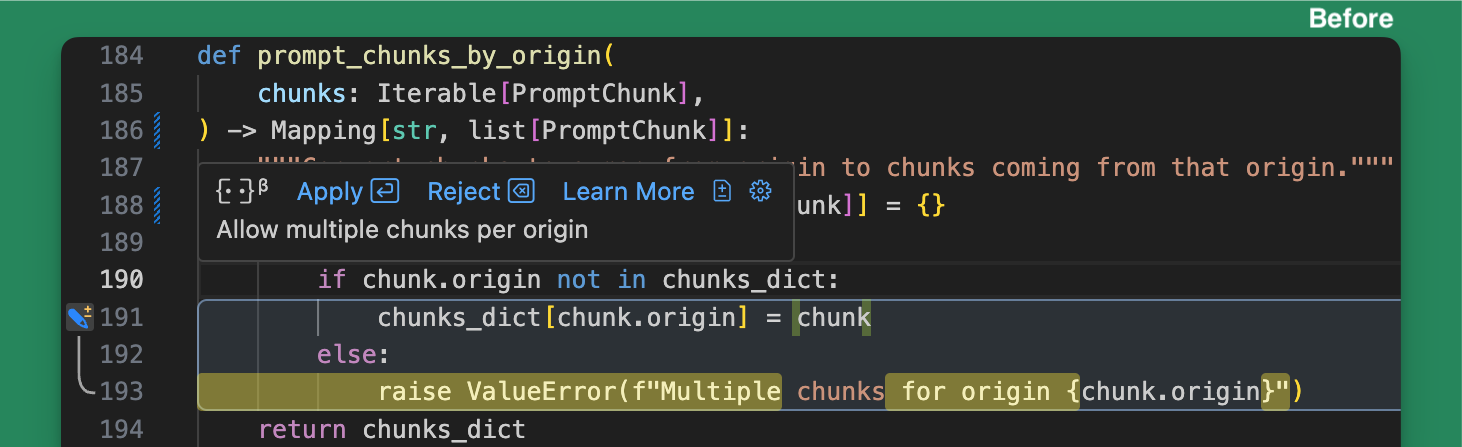
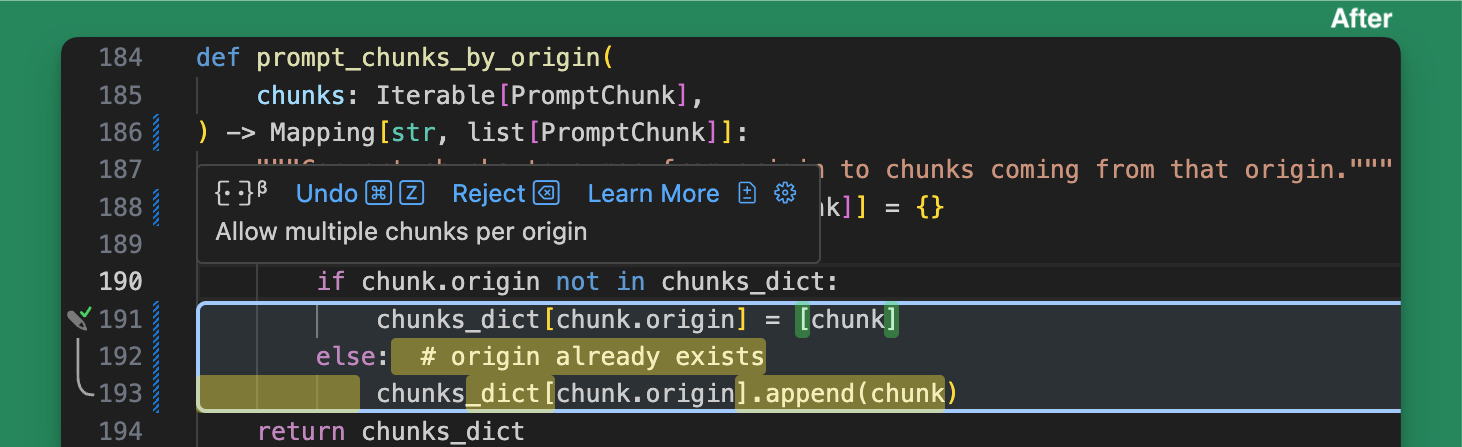
Keyboard Shortcuts
- MacOS
- Windows/Linux
| Action | Default shortcut |
|---|---|
| Go to next | |
| Go to previous | |
| Accept suggestion | |
| Reject suggestion |
Next Edit Indicators And Actions
There are several indicators to let you know Next Edits are available: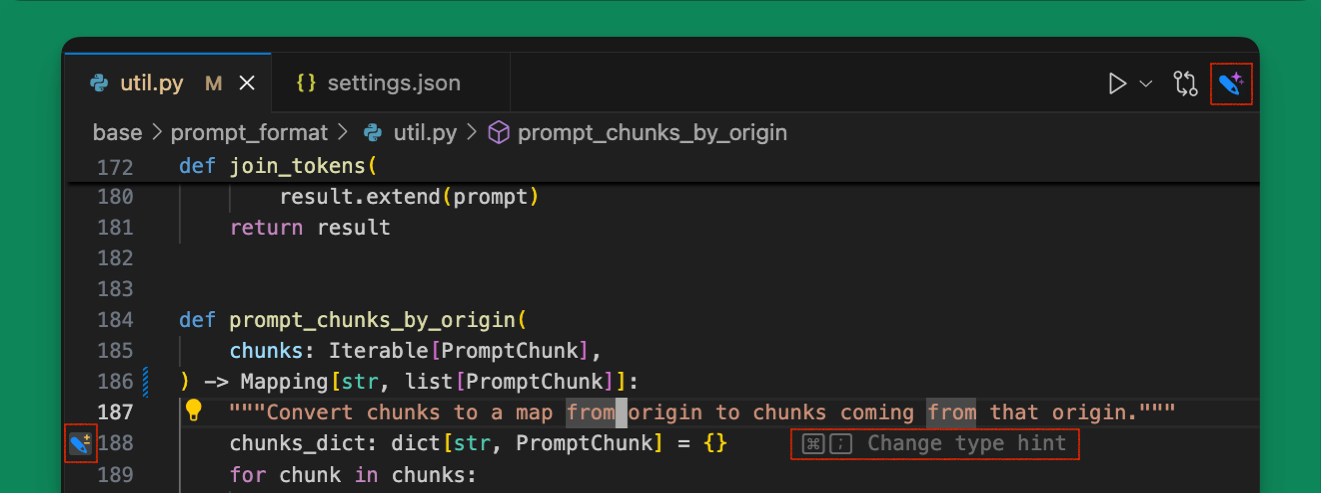
- Editor Title Icon (Top Right): Changes colors when next edits are available. Click on the icon to open the next edit menu for additional actions like enabling/disabling the feature or accessing settings.
- Gutter Icon (Left) - Indicates which lines will be changed by the suggestion and whether it will insert, delete or change code.
- Grey Text (Right) - appears on the line with the suggestion on screen with a brief summary of the change and the keybinding to press (typically ).

- Hint Box (Bottom Left) - appears when the next suggestion is off screen with brief summary of the change and the keybinding to press (typically ).
- Toggles showing diffs for suggestions in the tooltip.
- Opens Next Edit settings.
Next Edit Settings
You can configure Next Edit settings in your Augment extension settings. To open Augment extension settings, either navigate to the option through the pencil menu, or open the Augment Commands panel by pressing and select . The settings below can also be edited directly in yoursettings.json:
| Setting | Default | Description |
|---|---|---|
augment.nextEdit.enableBackgroundSuggestions | true | Enable Next Edit to run in the background and suggest changes in the editor. Disable to turn the feature off. |
augment.nextEdit.enableGlobalBackgroundSuggestions | false | Enable Next Edit to hint changes in files beyond the active editor tab. |
augment.nextEdit.enableAutoApply | true | Automatically apply suggestions when you jump to them. |
augment.nextEdit.showDiffInHover | false | Show a diff of the suggested change in the hover. |
augment.nextEdit.highlightSuggestionsInTheEditor | false | Highlight all lines with a suggestion in addition to showing gutter icons and gray hint-text. |