Hyperparam Documentation
Hyperparam is a browser-native debugger for agent logs, coding logs, and chatbot histories. It reads millions of rows straight from S3, GCS, or Azure, so you can find the failure modes before your users do, identify the prompts that burn tokens, and ship fixes grounded in what actually happened.
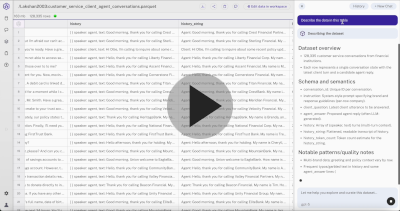
Video Overview
Why Hyperparam?
Built for agent and chat traces
- Open Claude Code transcripts, Codex sessions, ChatGPT exports, Langfuse / LangSmith / Phoenix traces, or any JSONL/Parquet of LLM calls
- Drill into nested conversations, tool calls, and reasoning steps without flattening them first
- Correlate failures across sessions, tools, models, and users at dataset scale
Join across all your sources
- Pull traces from local files, S3, GCS, Azure Blob, Hugging Face, and Iceberg tables, and combine them in one workspace
- Join your logs against GitHub repos, issues, and PRs to correlate agent behavior with the code it was running on
- Run SQL across sources to ask questions like "which sessions touched this file?" or "which tool failures happened on this commit?"
Browser-native performance
- Stream multi-gigabyte logs straight from S3, GCS, Azure Blob, or Hugging Face
- HTTP range requests pull only the bytes needed. Credentials stay in the browser.
- Lazy computation processes only what you scroll to, so billion-row tables stay responsive
AI agent that works with you
- Ask in plain language: "which sessions hit the context limit?", "where did the agent loop?", "which tool calls failed and why?"
- Generate derived columns at scale: failure classifications, quality scores, root-cause categories, suggested prompt fixes
- Build SQL views to filter, join, and project across log sources
- Save repeatable analyses as skills so the same workflow runs on next week's logs
Who Uses Hyperparam?
- Agent and coding-tool teams debugging tool failures, wasted calls, and rabbit-holes in production traces
- AI product teams triaging chatbot histories to find user frustration, hallucinations, and quality regressions
- ML and platform engineers turning raw observability logs into actionable fixes for prompts, tools, and routing
- Researchers auditing reasoning traces and model behavior across releases
Getting Started
- Quick start — Load your first log file and run an analysis in under 3 minutes
- Exporting Chat Logs — Pull traces out of Claude Code, ChatGPT, Langfuse, LangSmith, Phoenix, Datadog, and more
- Data Sources — Connect S3, GCS, Azure, or Hugging Face
Use Cases
Each guide walks through a real workflow on agent or chat logs: exploring, surfacing issues, and improving the underlying system.
- How to Debug Wasted Tool Calls in LLM Logs — Separate avoidable tool-call failures from necessary ones, and capture suggested prompt fixes
- Quality Filtering — Score and remove low-quality, sycophantic responses from chat logs
- Classifying Prompt Patterns — Categorize unstructured system prompts to understand what your assistant is actually being asked to do
- Dataset Discovery — Use natural language to find public datasets to benchmark against
- Complete Workflow — End-to-end: extract structured fields, filter, export
- Deep Research — Multi-step AI workflow for comparing model outputs
References
- Glossary — Terms used when debugging agent logs, traces, and tool calls
- FAQ — Common questions about features, limits, and security
- Desktop App — Native app with private cloud access and bring-your-own model keys
Open Source
To build Hyperparam we created an ecosystem of open source libraries for efficient data handling in the browser:
- hightable — High-performance react table for large datasets
- hyparquet — Apache Parquet reader for JavaScript and TypeScript
- squirreling — Async streaming SQL engine in pure JavaScript
- hysnappy — Snappy decompressor optimized with WebAssembly
- icebird — Apache Iceberg table reader in JavaScript
- hyllama — Llama.cpp model parser in JavaScript
The Feedback Loop
Understanding what your agent or chatbot is actually doing in production is the first step to making it better. Hyperparam closes the loop: read raw traces, surface the failure modes, and extract the fixes that improve your prompts, tools, and routing. Rapid iteration on real logs is how great AI products get built.